
How to Choose Virtual Staging Software for Real Estate: A Buying Guide
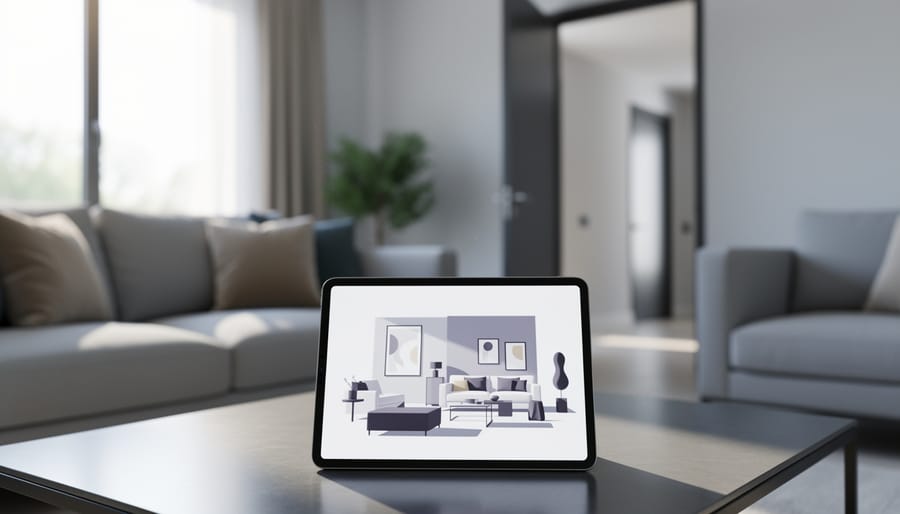
Virtual staging software transforms empty or outdated property listings into professionally furnished showcases without the expense of physical furniture or the logistics of coordinating traditional staging crews. These digital solutions allow real estate professionals, property managers, and renovation contractors to display multiple design styles for a single space, helping prospective buyers or tenants visualize a property’s full potential while cutting staging costs by 70 to 90 percent compared to conventional methods.
The technology has matured significantly, with platforms now offering capabilities far beyond basic furniture placement. Modern virtual staging solutions provide HDR photography enhancement, 360-degree panoramic tours, automated floor plan generation, and rapid turnaround times that can bring listings to market days faster than traditional staging allows. For Canadian property professionals, these tools serve a dual purpose: they accelerate sales cycles for real estate agents while providing renovation contractors and insurance restoration specialists with clear before-and-after documentation that streamlines claims processing and client approvals.
Key Takeaway: Virtual staging reduces physical staging expenses by up to 90 percent, accelerates listing timelines by days, and enables property professionals to showcase multiple design aesthetics for the same space, giving buyers diverse visualization options that traditional staging cannot match.
Choosing the right platform requires understanding the differences between AI-powered automation and designer-assisted services, evaluating per-image pricing against subscription models, and matching software capabilities to your specific workflow. A solo agent staging five listings per month has vastly different needs than a property management firm processing hundreds of units annually. The market now offers solutions ranging from free trials and budget-friendly monthly subscriptions starting at $9.99 to enterprise packages with flat-rate pricing at $250 or more, with some platforms featuring ai model delivers photorealistic staging at lower Budgets that balance quality with cost efficiency for medium-volume users.
What Virtual Staging Software Does and Why It Matters
Beyond Basic Photo Editing
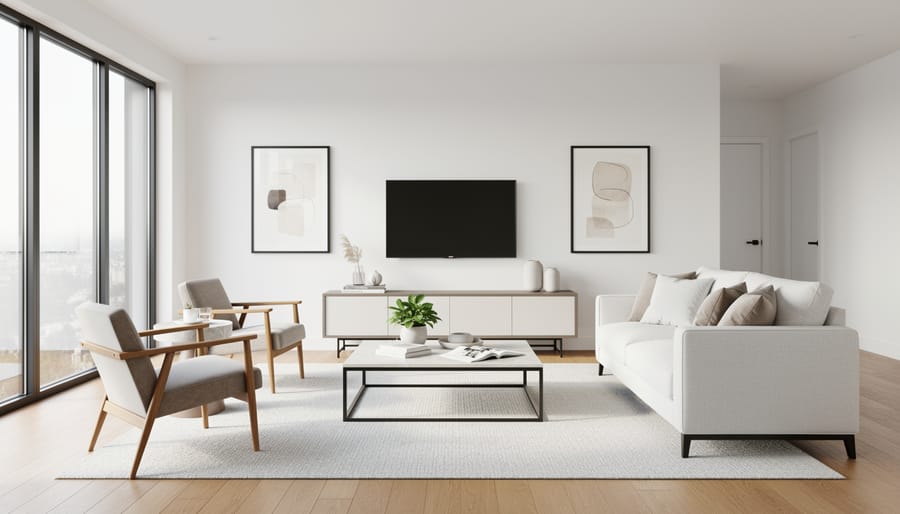
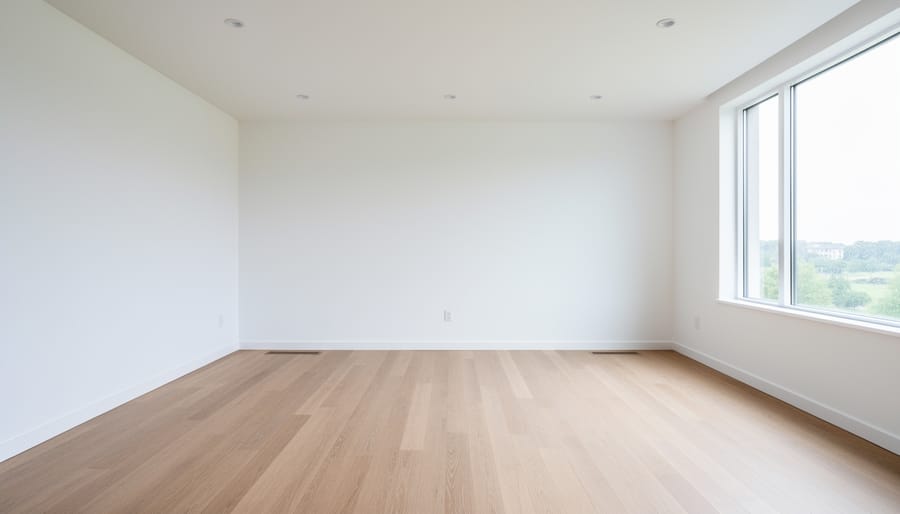
Virtual staging goes far beyond basic brightness tweaks or cropping photos. Simple photo editing might correct exposure or remove a blemish, but AI-powered virtual furniture staging rebuilds entire rooms from scratch. These platforms analyze the spatial geometry of empty spaces, then place furniture with correct perspective, scale, and shadow casting. The software accounts for natural light direction, wall angles, and floor reflections to create photorealistic images where digital sofas cast shadows that match the room’s actual lighting conditions.
Advanced platforms adjust ambient lighting to enhance the mood, warm up cold spaces, or brighten dark corners, transformations that simple filters can’t achieve. The rendering engines simulate material textures: leather that shows realistic grain, glass that reflects light convincingly, wood that displays authentic tone variations. This depth separates virtual staging from basic enhancement. When done well, viewers can’t distinguish staged rooms from photographs of real furniture, which is precisely the point. The technology handles complex details like fabric draping, cushion compression, and the interplay of multiple light sources, creating images that feel inhabited rather than digitally assembled.
The Connection to Property Marketing
Virtual staging sits within a comprehensive property presentation strategy that extends far beyond individual listing photos. Real estate agents understand that buyers form impressions within seconds of viewing a property online, making professional presentation critical at every touchpoint. Virtual staging complements physical property improvements, exterior renovations that increase market value fresh paint, landscaping updates, and repair work, by translating those physical enhancements into compelling visual narratives that resonate with potential buyers browsing listings from their devices.
For renovation professionals and property service providers, virtual staging serves as a bridge between their physical work and effective marketing outcomes. A roofing company documenting insurance claims or showcasing completed projects can use virtual staging to present the full potential of a property alongside their technical improvements. This integration creates a complete story: the structural improvements provide the foundation, while virtual staging demonstrates the lifestyle possibilities that attract qualified buyers and justify premium pricing in competitive markets.
Key Factors to Consider When Choosing Virtual Staging Software
Pricing Structure and Value
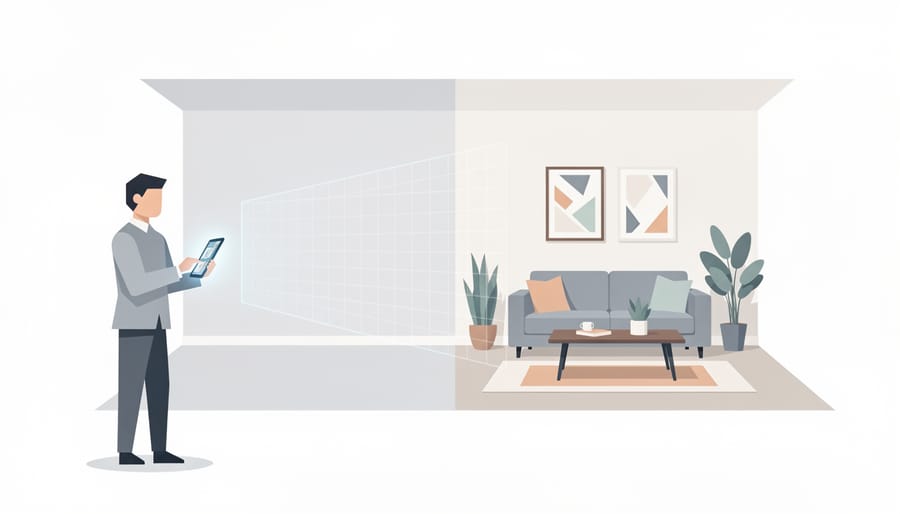
Virtual staging platforms use four main pricing structures, each suited to different usage patterns and business volumes.
Per-photo pricing appeals to agents handling occasional listings. Costs start as low as $0.24 per staged image, though premium quality typically runs higher. You pay only for what you use, making this model ideal when you stage a handful of rooms each month rather than maintaining a subscription that goes unused.
Monthly subscriptions, commonly starting around $9.99, work well for steady, predictable volume. These plans usually include a set number of staged photos per month, sometimes with additional per-image charges beyond your allowance. The monthly model suits agents who consistently need staging across multiple active listings and want to spread costs evenly rather than facing large one-time bills.
Flat-rate packages, such as one-time fees of $250, offer unlimited or high-volume staging for a fixed price. This structure makes sense for brokerages preparing multiple properties simultaneously or for renovation companies documenting several projects at once without tracking individual image costs.
Free versions provide basic staging capabilities with limitations on features, resolution, or output quality. They’re useful for testing a platform’s interface and results before committing financially, though most professionals eventually need paid tiers for client-ready work.
The best value depends on your monthly volume and cash flow preferences. Calculate your typical staging needs: if you stage fewer than ten rooms monthly, per-photo pricing usually costs less than subscriptions. Higher volumes favour monthly plans or flat rates that reduce your per-image cost while providing predictable budgeting.
Free Trials and Risk-Free Testing
Most virtual staging platforms recognize that quality varies significantly between providers, which is why many offer trial options before you commit. A free trial lets you upload your own property photos and see exactly how the platform handles real-world lighting conditions, room dimensions, and styling preferences, not just the curated examples in their marketing materials.
WizStudio and VizCloud both provide free trials, giving you hands-on experience with their interfaces and output quality. Some platforms offer trial edit credits instead of time-limited access, allowing you to process a few photos at no cost. During your trial period, focus on testing the realism of furniture placement in rooms with challenging layouts, how well the software matches lighting and shadows to your original photos, and whether the turnaround time fits your listing deadlines. Upload photos from different property types and lighting conditions to stress-test the platform’s capabilities.
Pay attention to workflow friction points: how many steps does it take to submit a photo, how clear are the customization options, and how easy is it to request revisions. If a platform makes you jump through hoops during the trial, that friction won’t disappear after you pay.
Feature Set and Capabilities
Virtual staging platforms vary dramatically in their feature sets, from basic furniture placement to comprehensive marketing suites. Understanding which capabilities you actually need prevents both feature gaps and paying for tools you’ll never use.
Furniture staging remains the core function: every platform should let you add photorealistic furniture, décor, and finishes to empty rooms. Look for diverse style options (modern, traditional, minimalist) and room-specific libraries (living rooms, bedrooms, kitchens, offices). The quality of rendering separates mediocre platforms from professional-grade ones, furniture should cast realistic shadows, respect room lighting, and scale accurately to architectural elements.
HDR photo enhancement elevates raw property photos by balancing exposure, enriching colors, and correcting lighting issues. Nodalview includes this alongside virtual tours, 360 panoramas, home staging, 2D floor plans, and videos in a single platform, illustrating how all-in-one suites bundle staging with broader marketing tools. For agents producing listing packages, this integration streamlines workflow.
AI-powered automation has become standard in 2026, enabling one-click room recognition, automatic furniture placement suggestions, and style matching. Platforms marketed as comprehensive solutions for real estate professionals emphasize this speed, though manual adjustment controls matter for customization.
Advanced capabilities expand beyond static images: virtual tours let buyers navigate staged spaces interactively, while video walkthroughs showcase flow between rooms. Floor plan integration helps buyers visualize spatial relationships. For high-volume brokerages, batch processing and team collaboration features become essential.
Match features to your actual workflow. Independent agents listing occasional properties need solid furniture staging and photo enhancement but rarely justify video production tools. High-volume teams benefit from the efficiency of integrated suites. Renovation companies documenting before-after transformations prioritize HDR enhancement and straightforward staging over interactive tours.
Create a needs checklist before comparing platforms, then test those specific features during free trials to confirm they deliver professional results with your actual property photos.
Support and Onboarding
When you’re new to virtual staging, quality support can make the difference between a smooth launch and weeks of frustration. Look for platforms that include free onboarding, some offer guided setup calls or tutorials to help you understand their interface and upload your first photos correctly. This upfront training prevents common beginner mistakes like poor photo angles or lighting that reduces staging quality.
Support availability matters throughout your relationship with the platform, not just at the start. Unlimited customer support means you can ask questions as your needs evolve, whether you’re troubleshooting a technical issue or learning advanced features. Equally important is the revision policy: unlimited free revisions let you request changes to staged photos until they meet client expectations, without additional charges eating into your margins. For teams managing multiple listings, this flexibility proves invaluable when clients request different furniture styles or room layouts. Before committing to any platform, verify what “support” actually includes, some providers offer email-only assistance with slow response times, while others provide live chat or phone support during business hours. Test their responsiveness during your trial period by submitting a real question and noting how quickly and thoroughly they respond.
Availability and Accessibility for Canadian Users
Most major virtual staging platforms operate as cloud-based services accessible worldwide, meaning Canadian real estate professionals can use them without geographic restrictions. Providers like WizStudio, VizCloud, and Nodalview serve international markets and accept clients from Canada alongside users in the United States, Europe, and other regions. You’ll typically pay in US dollars, so factor in currency conversion when comparing pricing, a $9.99 monthly subscription or $250 flat rate becomes slightly more expensive in Canadian dollars depending on the current exchange rate.
Check whether the platform lists pricing in USD and confirm your payment method handles international transactions smoothly. Most services don’t require special regional accounts or Canadian-specific versions; you sign up with an email address and start staging properties immediately. Customer support hours may reflect the company’s time zone rather than Eastern or Pacific Canadian hours, but email support and ticketing systems remain accessible regardless of when you submit requests.
Types of Virtual Staging Solutions Compared
Dedicated Virtual Staging Platforms
Dedicated virtual staging platforms specialize in furniture staging and room transformation, offering deep customization and high-quality rendering as their core focus. These solutions typically provide extensive furniture libraries, multiple design styles, and precise control over staging elements, ideal when photorealistic results matter more than bundled features.
VizCloud’s VizStaging component exemplifies this category, concentrating specifically on furniture staging and virtual staging solutions rather than spreading across multiple real estate marketing functions. Dedicated platforms often excel at detailed customization: you can adjust furniture placement, select from various design aesthetics, and fine-tune lighting to match the property’s actual characteristics.
This specialization comes with trade-offs. While you get superior staging depth and more styling options than all-in-one suites, you may need separate tools for HDR enhancement, floor plans, or virtual tours. The focused approach works well if your primary need is transforming empty rooms into compelling showcases and you already have solutions for other marketing materials.
Dedicated staging platforms suit professionals who prioritize staging quality over feature variety, agents handling luxury listings, property stylists, or marketers who need portfolio-grade results. They’re less practical if you need one platform to handle photography, tours, and staging together, but they deliver unmatched control when room presentation is your main objective.
All-in-One Real Estate Marketing Suites
All-in-one marketing suites bundle virtual staging with a full roster of property presentation tools, HDR photography enhancement, 360-degree virtual tours, floor plans, and video production, under a single subscription. Nodalview exemplifies this approach, delivering a complete toolkit for real estate agents who want consistency across every listing asset without juggling multiple vendors or logins. The integrated workflow means you shoot the property once, then generate staged images, immersive tours, and floor plans from the same platform, maintaining visual coherence and saving hours of coordination.
This model adds value when you’re producing marketing collateral for every listing and need predictable pricing that covers the full spectrum of deliverables. Instead of paying separately for staging (per photo), floor plans (per property), and tour hosting (monthly fee), you get everything in one bill, often with unlimited usage within your subscription tier. The trade-off: you’re paying whether you use every feature or not, and switching platforms later means migrating your entire marketing workflow rather than just one service. For high-volume agents or brokerages that regularly produce full media packages, the efficiency gains and unified branding justify the commitment; for those who only occasionally need staging, the bundled cost structure may exceed actual usage.
AI-Powered Staging Apps
AI-powered staging apps prioritize mobile accessibility and automation, using machine learning algorithms to generate furnished room images in seconds rather than minutes. These solutions, often marketed as complete transformation tools for real estate professionals, eliminate manual furniture selection by automatically analyzing room dimensions, lighting conditions, and architectural features to place appropriate furnishings.
The core strength lies in speed and convenience. Agents can stage photos directly from their phones at open houses or property visits, producing multiple design variations without desktop software or technical training. This immediacy proves valuable when marketing timelines are tight or when you need quick visual options to complement pre-sale upgrades and energy-efficient upgrades.
However, automation introduces limitations. AI-generated staging typically offers less design customization than dedicated platforms, you accept the algorithm’s furniture choices rather than selecting specific pieces or styles. Quality can vary based on photo conditions, and the results sometimes lack the photorealistic polish of manually curated staging. Most AI apps work best for straightforward residential rooms; complex commercial spaces or unusual layouts may produce less convincing results.
Flexible Hybrid Options
Some platforms recognize that real estate professionals need room to grow without switching tools every few months. WizStudio exemplifies this approach: you can start with their free version to test the waters, upgrade to a $9.99 monthly subscription when you’re staging regularly, or jump to a $250 flat-rate plan for unlimited access if you’re handling high volumes. This three-tier structure lets you match spending to actual usage rather than overcommitting upfront.
VizCloud takes a similar path, offering both a free version and trial access before asking for payment. These flexible models work particularly well for agents who experience seasonal fluctuations in listings or who want to experiment with virtual staging alongside traditional photography before fully committing their marketing budget. The key advantage isn’t just cost savings, it’s the ability to scale your investment as your comfort level and staging volume increase, without the disruption of migrating to an entirely new platform when your business outgrows your initial choice.
Recommendations for Different Real Estate Professionals
For Independent Agents and Small Teams
Independent agents and small teams operating with limited budgets need virtual staging solutions that offer flexibility without long-term financial commitments. Pay-per-photo models work well when you’re staging just a handful of listings each month, you pay only for what you actually use rather than maintaining an ongoing subscription.
WizStudio’s free version provides a practical starting point for testing virtual staging without any initial investment. When your volume increases, their $9.99 monthly plan offers a low-risk subscription option that you can cancel if business slows seasonally. For agents who prefer predictable costs and plan to stage multiple properties regularly, this monthly commitment delivers better per-photo economics than paying separately for each image.
The key advantage for smaller operations is scalability, you can start with free or pay-per-photo options, evaluate the impact on your listings, and upgrade to monthly plans only after virtual staging proves its value for your specific market. This approach minimizes financial risk while you determine whether the investment accelerates sales or justifies higher listing fees.
For High-Volume Brokerages
For high-volume brokerages processing dozens of listings monthly, all-in-one platforms like Nodalview deliver the best value. These comprehensive suites bundle HDR photography, virtual staging, virtual tours, 360 panoramas, floor plans, and video production in a single subscription, eliminating the need to juggle multiple vendors. The consolidated workflow saves administrative time and ensures consistent visual quality across all listings.
Flat-rate options also make financial sense at scale. A $250 one-time package for unlimited staging, for example, pays for itself after roughly 30 photos compared to per-image pricing. This predictable cost structure simplifies budgeting and removes hesitation about staging additional rooms.
Look for platforms offering team management features: shared asset libraries, brand templates for watermarks and color schemes, and user permission controls. These capabilities maintain brand consistency whether three agents or thirty are uploading photos. Centralized billing and usage tracking also simplify accounting.
Dedicated support matters more when multiple team members rely on the same platform. Prioritize providers offering onboarding sessions for new users, responsive technical assistance, and unlimited revision policies that won’t bottleneck your listing pipeline during peak selling seasons.
For Property Service Providers and Renovation Companies
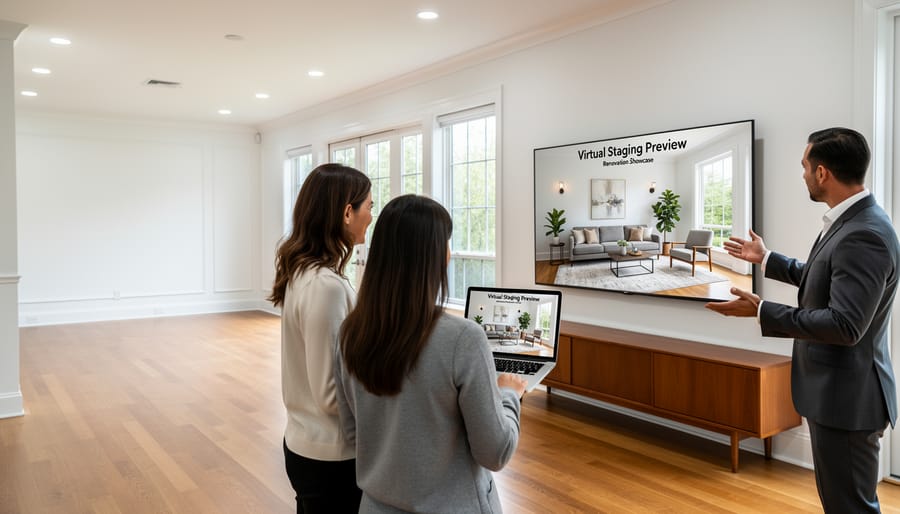
Property service providers and renovation companies operate in a different world than traditional real estate agents, but virtual staging offers surprising value for your business model. If you handle insurance claims, roof replacements, or major renovations, these tools help you document existing conditions and visualize completed projects before breaking ground.
For insurance documentation, virtual staging software works in reverse: capture the damaged or deteriorated state of a property with clear photography, then use staging features to show restoration goals. This creates compelling visual evidence for claims adjusters and helps clients understand the scope of work. When you’re presenting a roof replacement or exterior renovation to a homeowner, showing the finished result alongside current photos builds confidence and streamlines approvals.
Before-and-after project showcases become powerful marketing assets. Platforms offering flat-rate pricing around $250 or low monthly subscriptions near $10 make economic sense when you’re staging multiple project photos for portfolio building rather than weekly listing turnover. The same tools real estate agents use for interior furniture placement can highlight curb appeal improvements, colour scheme options for siding or trim, and landscaping enhancements that complement your core services.
For Canadian renovation businesses, virtual staging bridges the gap between technical expertise and client communication, transforming complex improvement projects into clear visual stories that close sales and document quality work.
Common Mistakes to Avoid When Selecting Virtual Staging Software
Choosing Based on Price Alone
The rock-bottom free version or a few dollars per month can seem irresistible when you’re watching costs, but those savings evaporate fast if the staging looks obviously fake. Listings with poorly rendered furniture, shadows pointing the wrong direction, proportions that don’t match the room, or furniture that appears to float, damage credibility instead of building it. Potential buyers notice jarring images immediately, and agents end up reshooting or paying for re-edits anyway, multiplying the original expense.
Beyond image quality, cheap platforms often lack meaningful support or revision policies. When a staged photo comes back with a chandelier cutting through the ceiling or a sofa blocking a doorway, you need someone who’ll fix it without charging extra. Platforms offering unlimited free revisions and real onboarding save hours of frustration, especially for teams new to virtual staging. The $9.99 monthly option might cost more than a free tool, but if it includes reliable support and professional-grade rendering, it prevents the hidden costs of botched listings, wasted time, and lost client confidence.
Skipping the Trial Period
Testing a platform with your own property photos isn’t optional, it’s the only way to verify whether the staging quality will actually sell your listings. Many professionals commit based on marketing promises or sample images, then discover the furniture looks artificial in their specific lighting conditions or room layouts. Free trials exist on platforms like VizCloud and WizStudio precisely to prevent this mistake. Upload three to five of your most challenging properties during the trial: dark rooms, unusual angles, and spaces with mixed lighting. If the rendered furniture looks photorealistic in these difficult scenarios, the platform will handle your easier listings well. Pay particular attention to shadows, reflections, and how furniture scales against existing architectural features. A platform that performs well in trials will consistently deliver staging that passes the buyer’s eye test.
Ignoring Feature Overlap and Gaps
Many buyers rush to purchase a platform with an impressive feature list, only to realize they’re paying for capabilities they never use, or worse, they lack a critical function their workflow actually needs. A common scenario: choosing an all-in-one platform like Nodalview because it bundles HDR photos, virtual tours, 360 panoramas, staging, floor plans, and videos, when you only need basic furniture staging and rarely shoot panoramas or video content. Conversely, you might select a free version or budget option, then discover it can’t export high-resolution images for print marketing or lacks team collaboration features your brokerage requires.
Before evaluating any platform, create a prioritized checklist of must-have features, nice-to-have extras, and functions you genuinely won’t use. Match this list against what each solution actually delivers, not its marketing claims, during your trial period. This approach prevents overpaying for unused bells and whistles while ensuring you don’t discover a deal-breaking limitation after you’ve already committed time and money.
Overlooking Scalability
Many real estate professionals choose platforms based on current needs without considering how their business might grow. An agent handling three listings per month might find a pay-per-photo model perfectly manageable, but that same pricing structure becomes expensive when volume jumps to fifteen properties. Starting with a platform that only offers per-image pricing means facing a difficult decision later: absorb higher costs or switch providers and rebuild your entire workflow.
Migration isn’t just inconvenient. Moving to a new platform often means losing saved templates, furniture preferences, and team member access settings. If your team has learned one system’s interface and shortcuts, retraining on different software costs time and reduces productivity during the transition. Consider whether a platform offers multiple pricing tiers you can grow into, like WizStudio’s progression from free version through monthly subscription to flat-rate options, rather than locking yourself into a single pricing model that won’t scale with your success.
Frequently Asked Questions About Virtual Staging Software
Do real estate photos legally require disclosure when they’re virtually staged?
Yes, disclosure requirements vary by location and professional organization, but transparency is both legally prudent and ethically expected. Most real estate boards and associations require agents to clearly indicate when photos have been virtually staged, typically through watermarks, captions stating “virtually staged,” or explicit disclosures in listing descriptions. Failure to disclose can lead to buyer complaints, potential legal issues, and professional sanctions. Beyond legal compliance, honest disclosure builds trust, buyers appreciate seeing the potential of a space while understanding what’s physically present versus digitally added furniture.
How quickly can I expect virtually staged photos to be ready?
Turnaround times differ significantly across platforms and service levels. Many dedicated virtual staging solutions deliver results within 24 to 48 hours for standard projects, while some premium services offer same-day or even rush processing for urgent listings. Platforms with free trials often allow you to test their typical turnaround before committing. The speed also depends on your photo quality and how many revisions you request, clear, well-lit source images produce faster results than photos requiring extensive lighting corrections or multiple staging iterations.
Is virtual staging actually cheaper than traditional physical staging?
Virtual staging typically costs a fraction of physical staging, ranging from less than a dollar per photo to monthly subscriptions around $9.99, compared to physical staging that often runs $2,000 to $10,000 for a multi-room setup. You avoid furniture rental, transportation, installation labor, and ongoing fees if a property sits on the market.
What photo quality do I need for effective virtual staging results?
You need well-lit, high-resolution images taken from appropriate angles, most platforms recommend at least 1920×1080 resolution and proper exposure without extreme shadows or blown-out windows. Photos should be taken with a wide-angle lens at roughly chest height, showing the full room context rather than tight crops.
How steep is the learning curve for someone new to virtual staging software?
Most modern platforms are designed for real estate professionals without technical backgrounds, offering intuitive interfaces where you upload photos, select furniture styles, and receive staged images. Platforms like WizStudio provide free versions for practice, while services like Nodalview bundle onboarding support and tutorials with their subscriptions.
Can virtual staging help with properties beyond just residential sales?
Virtual staging serves multiple property contexts, commercial spaces, rental listings, renovation before-and-after documentation, and even insurance claims visualization. For property service providers handling everything from interior updates to roof life expectations virtual staging can illustrate potential improvements or document existing conditions in a more compelling format than empty room photos.
The financial comparison makes virtual staging particularly attractive for agents working with vacant properties or sellers unable to afford traditional staging. While physical staging creates an in-person experience that virtual images cannot replicate, the cost difference allows you to stage every listing photo rather than selecting only the most important spaces. This democratizes professional presentation across price points and property types.
Photo quality directly impacts your results, garbage in, garbage out applies here. Invest time in learning basic real estate photography principles: shoot during daylight hours, use a tripod for stability, ensure rooms are clean and decluttered before photographing, and capture multiple angles of each space. Many platforms offer HDR enhancement alongside staging, which can rescue slightly underexposed photos, but starting with quality source material produces the most convincing staged images.
The accessibility of these tools has lowered barriers significantly since early virtual staging required graphic design skills and expensive software. Today’s platforms handle the technical complexity behind simple interfaces, letting you focus on style selection and business decisions rather than rendering techniques. Most professionals report feeling comfortable within their first few projects, especially when platforms include free revisions to refine results until they match your vision.
Selecting the right virtual staging software comes down to matching the platform’s pricing model and feature set to your actual business volume and workflow. A solo agent with five listings per quarter has different needs than a brokerage handling hundreds of properties annually. The platforms discussed in this guide span the spectrum, from free versions and pay-per-photo options starting around $0.24 per image to monthly subscriptions at $9.99 and flat-rate packages at $250, precisely because real estate professionals operate at vastly different scales.
Before committing to any platform, take advantage of free trials. Testing software with your own property photos reveals whether the rendering quality meets your standards, whether the interface fits your workflow, and whether the support team responds when you need revisions. A 30-day trial or sample credits cost nothing but can save you from paying for a solution that doesn’t deliver.
Remember that virtual staging works best as part of a complete property presentation strategy. For renovation companies and property service providers, quality staging can showcase the potential of improved spaces alongside before-and-after documentation of physical work. Empty rooms staged digitally demonstrate what buyers could create, while your completed roofing, siding, or interior projects prove what transformation actually looks like.
The most expensive platform isn’t automatically the best choice, nor is the cheapest always a bargain. Focus on the specific capabilities your business requires, test them thoroughly, and choose software that scales with your growth.